
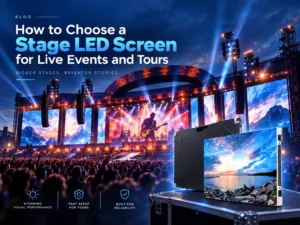
A stage led screen has to work long before the audience sees the first image. It must arrive in the right quantity, go up within the load-in window, survive repeated handling, align across cabinets, feed the media system and remain serviceable when a show cannot stop. Choosing by pixel pitch alone ignores most of the risk.
The event type decides the priority. A concert may need a large visual canvas, camera-friendly output and a rigging plan that changes with every venue. A corporate conference may put greater weight on text, clean graphics and predictable installation. A theatre or broadcast production may care about low brightness, colour consistency, camera shutter behaviour and quiet operation. The stage led screen should be specified around those conditions.
This article is written for rental companies, event producers, AV integrators and venues that are specifying or buying a stage led display system. If the task is only to hire a local screen for one event, the rental provider’s inventory and crew may matter more than the equipment selection process below.
Begin with the content and where it appears. Is the screen a backdrop, a side-of-stage display, a floor-to-ceiling set piece, a scoreboard, a presentation surface or a moving element? Will the audience see it from a distance, from the front row, from the side, through a camera, or all of those positions?
Define the closest meaningful viewer and the typical viewing angle. A screen on stage may be far from most seats but close to the front row, performers, camera operators and technicians. The relevant viewing distance is not the distance to the back of the venue; it is the distance at which the smallest important content has to remain credible.
Then define the content canvas. Text, data, camera feeds, generative visuals, playback and interactive graphics place different demands on resolution, refresh, processing and content mapping. A larger led screen on stage is not automatically more useful if the source material is stretched, the safe areas are ignored, or the media server cannot deliver the required layout.
Pixel pitch is the distance between adjacent pixel centres. A smaller pitch increases pixel density and generally supports closer viewing, but the choice also depends on screen size, target resolution, content detail, image motion, ambient light and budget.
A stage led screen intended for large concert visuals may not need the same pitch as a display positioned behind a conference panel or used for close camera framing. A led screen on stage may need to look convincing from the audience and through the camera at the same time. These are related but not identical requirements.
Ask the supplier to compare at least two realistic pitch ranges rather than recommending the finest option immediately. The useful answer explains what becomes visible at the closest viewing position, how the source resolution maps to the screen, and what changes if the stage design moves. The final choice should be tied to the approved canvas and viewing task, not to a generic distance table.
For broadcast, live capture or content filming, refresh rate is only one part of camera performance. Driver behaviour, scan method, processing, content speed, shutter angle, camera sensor and calibration all contribute to the final image. A nominal refresh figure does not guarantee that a camera will see smooth motion or stable colour.
A stage led display that looks good to the eye may still show scan lines, flicker or colour shifts on camera. The buyer should describe the camera workflow and ask for a relevant test or documented example. The test should reproduce the intended shutter, frame rate, viewing angle and content rather than using a static colour pattern.
For an led screen for concert stage use, camera performance may matter during a live broadcast, a recorded performance or social content capture. The specification should state which of those outputs are critical. If the screen will be filmed only occasionally, the project may accept a different configuration than a production designed around camera capture.
Stage lighting changes continuously. A screen that is bright enough during a dark scene may become washed out under front light or direct daylight. A screen optimised only for peak brightness may lose detail in dark content or create glare for performers and cameras.
Specify the screen against the actual lighting environment. Consider whether the stage is indoor or outdoor, whether daylight reaches the performance area, how the screen is angled, what content includes large dark areas, and how the lighting operator will balance the screen with performers. The final brightness setting should be calibrated for the show, not treated as a single permanent value.
A stage led display also needs stable grayscale and colour at lower brightness levels. When the content is dimmed, the audience should still see clean tonal transitions rather than banding, colour shifts or uneven modules. The relevant evidence is the selected model and its calibration, not a general statement that one LED technology always performs better.
The cabinet is not just a frame around the modules. It determines weight, alignment, connection speed, curve capability, maintenance direction and transport protection. The rigging design then determines how those cabinets reach the stage safely and stay aligned under the expected load.
For hanging screens, the project team should define the load path, suspension points, safety factors, lifting sequence and access method. For stacked or ground-supported screens, the base, ballast, wind exposure, floor condition and crowd protection become part of the design. Outdoor stage screens add weather, drainage, cable management and emergency access to the same list.
Service access should be planned before load-in. Can a module be replaced from the front while the screen is hung? Can a receiving card or power supply be reached without dismantling a large section? How are spare panels matched to the flown screen? A stage led screen that is fast to build but slow to repair is not a complete touring solution.

Touring equipment is judged by the second, tenth and hundredth load-in as much as by the first. Cabinets need protection during transport, a clear handling method, consistent labelling and a practical spare-parts plan. Flight cases, touring frames, cable sets and rigging accessories should be specified together with the panels.
The rental and performance display solution offered by SYVISO is positioned around lightweight, easy-to-install screens for stage performances, concerts and temporary events. The rental and performance display solution is relevant because the operating model is different from a fixed installation: the screen is repeatedly assembled, moved and reinstalled.
For stage backdrops, a modular LED-Wandhintergrund can be configured around the event’s size and shape. The buyer should still confirm the actual cabinet, lifting method, control system and spare-parts package. Those USA rental screen Und Germany rental screen pages document completed rental projects with their listed screen sizes, resolutions and pixel pitches; they are project-scope examples, not performance proof. The cabinet, rigging, control and spare-parts package still needs event-specific confirmation.
The media system is part of the display. Define the source devices, processor, signal format, signal distance, backup path and content mapping before the screen configuration is frozen. If the show uses multiple screens, the timing and canvas relationship between them must be agreed across the whole system.
Ask what happens when a signal path, processor or panel fails. Some events can pause; others cannot. The supplier and technical team should agree on redundant sources, spare processing capacity, spare cabinets and a changeover procedure where the risk justifies them. Video content should be tested on the actual pixel map, not only in a design file.
A stage led screen that is chosen for resolution but not for control continuity can create a single point of failure. The procurement question is not only what the panel can display. It is how the full system behaves when the show is live.
Compare proposals by the complete working system: pitch, cabinet, processor, rigging interface, spare parts, flight cases, cable sets, installation responsibility, commissioning, training and documentation. Ask which items are included, which are excluded and which depend on the venue or event design.
Lead time, MOQ, warranty and service terms depend on the selected product, quantity, configuration and destination. They should be confirmed in the quotation rather than assumed from a catalogue. The same principle applies to camera performance and outdoor protection: exact claims should be tied to the tested model and intended operating conditions.
A good stage led screen choice gives the production team a screen that can be rigged, mapped, operated, serviced and transported as one system. Start with the show, not the panel. Define the viewing task and camera workflow, then compare pitch, brightness, cabinet, rigging, control and spares against those facts. Send the event type, stage dimensions, viewing positions, content, installation method, quantity, destination and delivery target when requesting a quote so the supplier can evaluate the real project instead of quoting a generic screen.
The stage led screen is only one part of the show system. The right choice begins with the visual job, viewing positions, camera workflow and lighting environment, then carries through pitch, cabinet, rigging, control, transport and spare parts. Compare proposals by the complete working package, not by pixel pitch alone, and keep model-specific performance claims tied to the intended conditions. A screen that is fast to build but difficult to service or integrate will create risk once the show is live. Send the event type, stage dimensions, viewing positions, content, installation method, quantity, destination and delivery target so the supplier can evaluate the real production.
Q1: How do I choose the right pixel pitch for a stage LED screen?
A1: Start with the closest meaningful viewer, screen size, target resolution, content detail and camera framing. Compare realistic pitch ranges for those conditions rather than choosing the finest available option by default.
Q2: What matters most for a stage LED screen on camera?
A2: Camera performance depends on the complete system, including the driver, scan method, processing, refresh behaviour, content speed, shutter settings, calibration and camera. Test the intended workflow rather than relying on one headline specification.
Q3: What should a touring or rental LED screen quotation include?
A3: Compare the complete working system: cabinets, processor, rigging interface, flight cases, cable sets, spare parts, installation responsibility, commissioning, training, documentation and the assumptions that depend on the venue or event design.
Nehmen Sie Kontakt mit SXLED auf
Bereit, Ihre Vision Wirklichkeit werden zu lassen? Als Ihr zuverlässiger Partner für LED-Displays bieten wir maßgeschneiderte Lösungen, garantierte Kompatibilität und optimierte Leistung für jedes Projekt. Füllen Sie das Formular aus, und unsere Experten melden sich innerhalb von 24 Stunden mit einem individuellen Angebot bei Ihnen.

Mehr als 13 Jahre Erfahrung

Maßgeschneiderte Lösungen

Zuverlässige Qualitätssicherung